See the Whole Picture: Why the Monitor Really Matters
A powerful graphics card and processor are exciting upgrades, but if they are feeding an old or basic screen, a lot of that power never reaches your eyes. Your monitor decides how sharp your games look, how smooth they feel, and how quickly you can react. When the display falls behind, it quietly becomes a bottleneck, no matter how strong the rest of your Gaming PC Bahrain build is.
In this article, we will walk through how monitors affect performance, image quality, and comfort, and why pairing the right screen with your hardware matters so much. At Games Gravity, we work with gamers in Bahrain every day to build and tune complete systems, and that always includes choosing a display that actually matches the PC instead of wasting its potential.
How Monitors Can Bottleneck a Powerful Gaming PC
If your PC is pushing high frame rates but your monitor is stuck on older standards, you are leaving smoothness and responsiveness on the table. Monitors do not speed up your hardware, but they control how much of that performance you can actually see and feel.
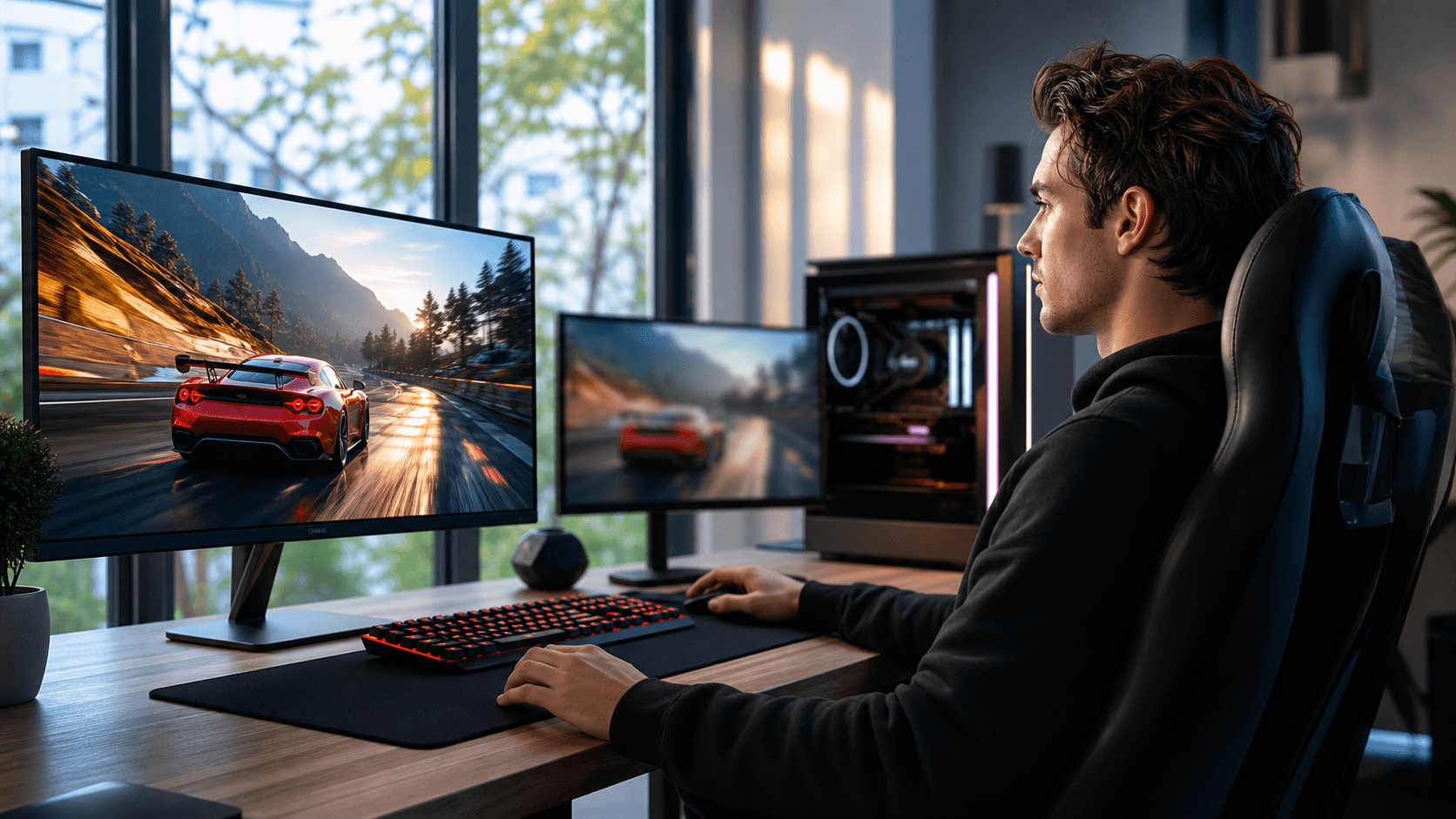
Refresh rate is the first big limiter. A 60 Hz monitor only shows up to 60 frames per second. If your system can handle 200 frames per second, those extra frames simply never appear. Step up to 144 Hz or 240 Hz, and motion becomes much smoother. Fast camera turns in shooters feel more controlled, tracking targets feels easier, and inputs feel more direct.
Response time and input lag are just as important. Slow response times cause motion blur and ghosting, where old frames hang on the screen during fast movement. High input lag means what you do with your mouse or controller takes longer to appear on screen. In shooters, racing games, and competitive titles, that delay makes aiming and timing feel mushy and inconsistent.
Resolution is the other side of the equation. A strong GPU paired with a low resolution like 1080p can feel wasteful if you care about detail and sharpness. On the other hand, moving to 1440p or 4K on a weaker system can drag frame rates down, turning smooth gameplay into stutter and dips. When we plan a custom build at Games Gravity PC builds, we always think about the target resolution and refresh rate before picking parts.
Image Quality, Color, and Panel Types Explained
Not all screens are built the same. The type of panel in your monitor shapes how your games look, how they feel, and how comfortable they are to stare at for hours.
TN panels are popular in esports gear because they focus on speed. They usually offer very low response times and high refresh rates at a lower price. The tradeoff is weaker viewing angles and color, so dark scenes and bright areas might not look as rich.
IPS panels prioritize color and wide viewing angles. If you love open-world titles, story-driven games, or you also do some content creation, IPS can make environments and characters look more alive. Modern IPS panels can still be very fast, so they are a strong middle ground for many gamers.
VA panels sit in between, often with deeper contrast and better blacks than TN or IPS, which helps in dark games or cinematic scenes. Some VA models can show a bit of blur in the fastest motion, so they are great for mixed use but not always the first pick for serious competitive play.
Color accuracy and HDR support also change how games feel. A monitor with strong color reproduction and good brightness will make skies, explosions, and scenery stand out. Without that, even top-tier titles can look flat or washed out. Features like flicker-free backlights and blue light filters help during long gaming or work sessions, which matters when you are spending extended evenings in front of the screen in Bahrain.
Why Your Use Case and Hardware Must Match Your Monitor
The best monitor for you depends on how you play and what else you do with your PC. There is no single perfect choice for everyone.
Competitive players in shooters, battle royales, or MOBAs usually care more about speed than anything else. For them, a 144 Hz or 240 Hz monitor with low response time can make aiming and tracking feel cleaner. Story and RPG fans might lean toward higher resolution and better colors, because they want worlds and characters to look as detailed and cinematic as possible.
Matching your GPU and CPU to the monitor is key. A mid-range graphics card is usually well suited to 1080p, sometimes 1440p if you are willing to adjust settings. High-end GPUs handle 1440p very comfortably and can push into 4K, as long as you accept lower refresh rates or tweak quality settings. If your frame rate regularly sits far below your monitor's refresh rate, you are not taking full advantage of the screen.
For streamers, content creators, and professionals, there is another layer. Extra resolution means more screen space for timelines, chat, and editing tools. Better color accuracy helps when you are grading footage, editing photos, or designing graphics. That is why we often talk through both gaming and work needs when helping customers at Games Gravity plan a Gaming PC Bahrain system.
Choosing the Right Gaming Monitor in Bahrain
When it is time to pick a gaming monitor in Bahrain, it helps to focus on a few key points instead of every spec at once. Think about what really affects your daily experience.
A simple checklist looks like this:
- Size and resolution (how big your desk is and how far you sit)
- Refresh rate and response time (based on how competitive your games are)
- Panel type (TN for pure speed, IPS for color and angles, VA for contrast)
- Ports and features (HDMI, DisplayPort, USB, speakers, and headphone jack)
- Adaptive sync support (such as variable refresh rate technologies that reduce tearing)
Local conditions also matter. Desk space in apartments or gaming rooms is not unlimited. A huge 32-inch or 34-inch screen sounds exciting, but if you are sitting too close, you will be constantly moving your eyes and neck. Heat and longer gaming hours in summer can also place extra stress on your PC, so pairing a high refresh rate screen with proper cooling, like a good unit from the CPU coolers category, helps your system stay stable when you push high frame rates.
At Games Gravity, we look at your current PC, the games you play, and your budget before suggesting a specific gaming monitor in Bahrain. Sometimes the right move is a faster 1080p screen for competitive play. Other times, a 1440p IPS panel gives the best balance between speed and visuals. The goal is always to make sure your monitor lets your hardware show what it can really do.
Unlock Your System's Full Potential with the Right Display
Your gaming experience is only as impressive as the screen in front of you. A mismatched monitor can quietly cap your frame rates, flatten your colors, and make even a powerful Gaming PC Bahrain setup feel underwhelming.
It is worth taking a moment to check your monitor's resolution, refresh rate, and panel type, and compare that with the performance you see in your favorite games. If there is a gap between what your PC can do and what your screen can show, upgrading your gaming monitor in Bahrain can be the change that finally lets you see everything your system is capable of delivering.
Upgrade Your Gaming Experience With Pro-Level Visuals
Take your setup to the next level with a gaming monitor in Bahrain that delivers the clarity, speed, and immersion your games deserve. At Games Gravity, we help you choose the right specs for your playstyle, whether you are into competitive shooters or cinematic RPGs. If you need personalized guidance or have questions about specific models, simply contact us and our team will walk you through the best options.